
Most growing businesses don't have a software problem. They have a too-many-places problem. The same order gets typed three times, nobody is sure which stock figure is right, and month-end means a week of matching numbers. A good ERP fixes that by giving everyone one set of data to work from.
Signs You’ve Outgrown Spreadsheets
You probably need an ERP if a few of these sound like your week:
- Stock on the books doesn’t match stock on the shelf, and you find out only when a customer order can’t be filled.
- Your accountant waits on sales and purchase data from different people before closing the month.
- Only one or two staff members know how the current system works, and things stall when they’re on leave.
- You run more than one branch or warehouse and can’t see all of them in one place.
- You’re paying for an off-the-shelf tool but still doing half the work in Excel because it doesn’t fit your process.
ERP Modules We Build
You don’t need every module on day one. We start with the ones that hurt most and add the rest as your team settles in.
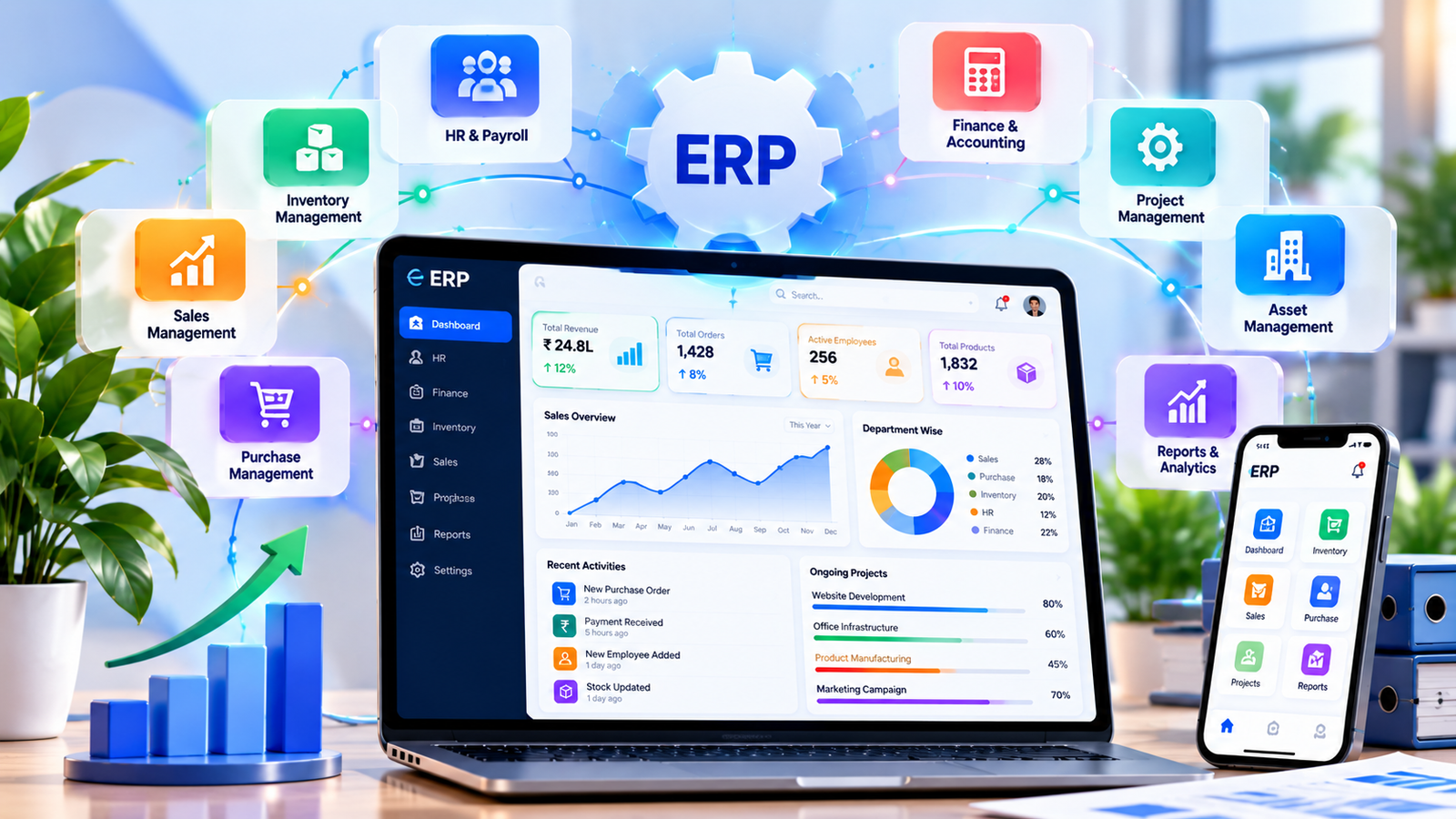
- Inventory & Warehouse — Live stock across locations, batch and expiry tracking, reorder alerts, and stock transfers between branches.
- Purchase & Vendors — Purchase orders, goods receipts, vendor rates and pending payments, all linked so nothing is entered twice.
- Sales, Orders & GST Invoicing — Quotations, sales orders, dispatch and GST-ready invoices, with customer-wise outstanding at a glance.
- Accounts & Finance — Ledgers, receivables, payables and expense tracking that update as sales and purchases happen, not at month-end.
- HR, Attendance & Payroll — Staff records, attendance, leave and salary processing in the same system as the rest of the business.
- Production Planning — Bills of material, work orders and raw material consumption for manufacturers, so costing is based on real numbers.
- Reports & Dashboards — Sales, margins, stock ageing and cash position on one screen, with role-based access so each person sees what they need.
Custom ERP vs Off-the-Shelf
Ready-made ERPs are a good choice when your process is fairly standard. They get harder to live with when you have to change the way you work to fit the software, or when licence fees climb every time you add a user. A custom ERP is built around your existing workflow, you own the code, and there are no per-user charges. The trade-off is a longer build at the start. In the discovery call we’ll tell you plainly which route makes more sense for you, even if the answer is not us.
How We Build Your ERP
ERP projects fail when they try to change everything at once. We go live in phases so your team is never stuck between the old system and the new one.
Discovery & Process Mapping 1–2 weeks
We sit with the people who do the work, from the store to accounts, and map how orders, stock and money actually move. You get a fixed-price proposal at the end.
Design & Module Planning 1–2 weeks
Screens, approval flows and reports are designed and signed off before development starts, so there are no surprises later.
Phased Development 8–12 weeks
Core modules are built first, with a working demo every two weeks so you can test and give feedback as we go.
Data Migration & Training 1–2 weeks
Your existing data is cleaned and imported, numbers are checked with you, and every team gets hands-on training on the parts they’ll use.
Go-Live & Support Ongoing
We stay close during the first weeks after launch, fix issues quickly, and add the next modules once the first ones are running smoothly.
Who We Build ERPs For
Our ERP work suits small and mid-sized businesses in India and Australia that have grown past basic billing software: manufacturers, wholesalers and distributors, multi-branch retailers, and service companies managing field teams. If you also need a customer-facing side, the ERP can connect with your online store or a custom web app, so orders flow straight in without retyping.
Frequently Asked Questions
Should we build a custom ERP or buy a ready-made one?
If a ready-made ERP fits how you work, buy it. Custom makes sense when your process is what sets you apart, when per-user licence fees keep growing with your team, or when you have already tried an off-the-shelf tool and ended up running half the business in Excel anyway. We will tell you honestly in the discovery call which side you are on.
How long does an ERP project take?
Most projects go live in phases. The first modules, usually inventory and billing, are typically ready in 10 to 16 weeks, and the rest are added after your team is comfortable. You get a fixed timeline in the proposal after discovery.
Can you move our data from Excel, Tally or our old software?
Yes. We clean and import your item masters, customers, vendors and opening balances, and check the numbers with you before go-live so your books match on day one.
Will it work on mobile and across branches?
Yes. The ERP runs in the browser, so staff can use it on a laptop, tablet or phone, and every branch or warehouse sees the same live stock and order data.
What does it cost?
It depends on how many modules you need and how complex your workflows are. After a discovery session we send a fixed-price proposal, so you know the full cost before any code is written. There are no per-user licence fees.